
Les logiciels de rappel de rendez-vous pour salons de coiffure et d'esthétique permettent de réduire les rendez-vous manqués, de gagner du temps pour le personnel et de maintenir un planning complet grâce aux rappels automatiques par SMS et e-mail.
Le client oublie son rendez-vous pour une coloration à 14 heures, votre réception appelle deux fois, personne ne répond, et cette chaise reste vide pendant deux heures. C'est le coût réel des rendez-vous manqués et c'est précisément pour cela que le logiciel de rappel de rendez-vous en salon est important. Pour les salons, barbershops, nail studios et cliniques, les rappels ne sont pas seulement un joli ajout. Ils font partie de la manière dont vous protégez vos revenus, maintenez le flux de votre journée de travail et évitez que votre personnel passe la moitié de son service à courir après des confirmations.
Le problème n'est pas seulement l'absence. Le problème, ce sont aussi les retards, le double travail à la réception et la charge constante du suivi manuel. Lorsque les rappels dépendent de notes autocollantes, de la mémoire ou d'un employé qui "gère généralement cela", le système s'effondre dès que la journée devient chargée. Un bon logiciel résout cela en transformant les rappels en un processus répétable.
Ce que le logiciel de rappel de rendez-vous en salon doit réellement faire
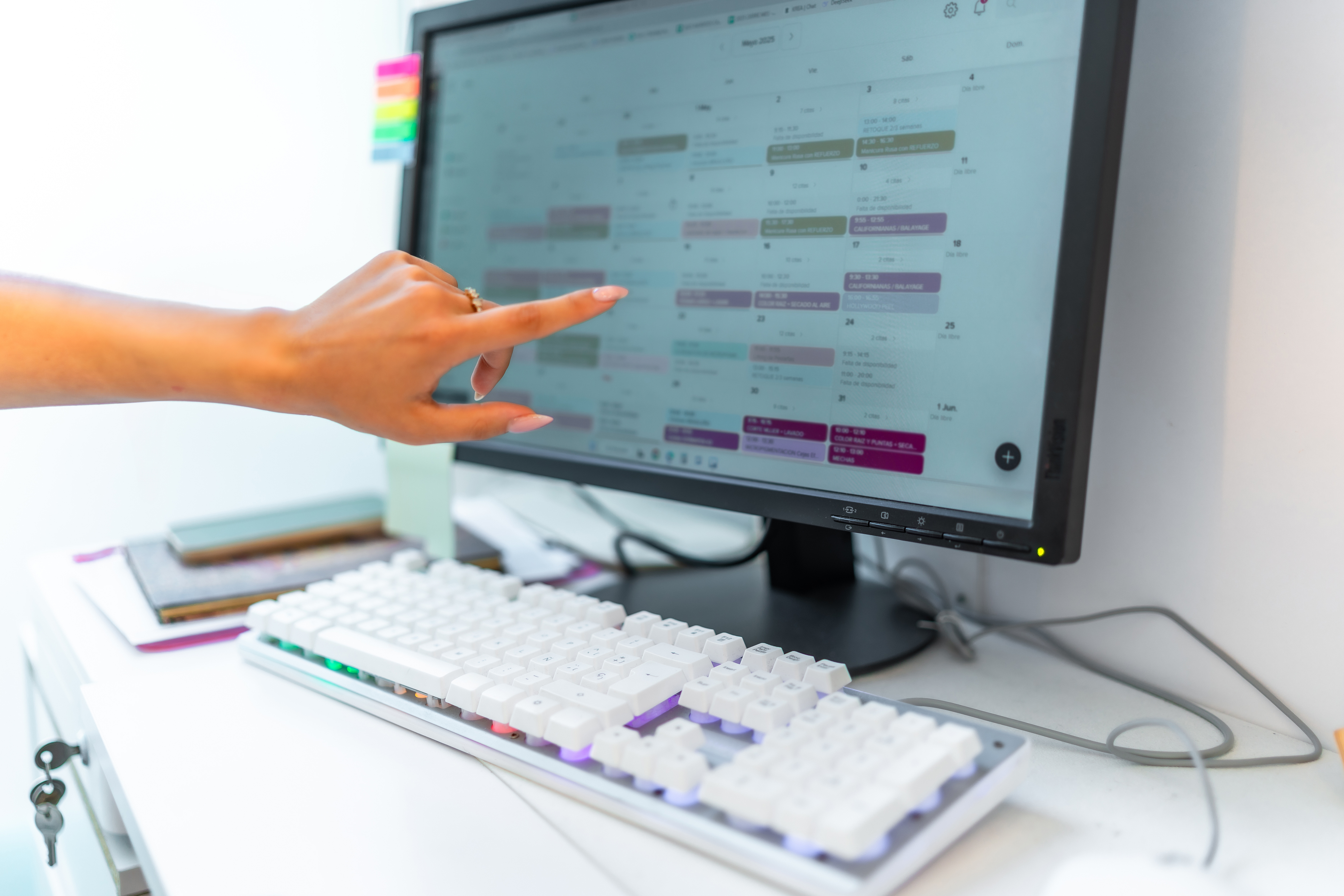
À un niveau de base, le logiciel doit envoyer automatiquement des rappels avant les rendez-vous par SMS, e-mail ou les deux canaux. Mais le basique n'est pas suffisant pour un salon qui fonctionne vraiment à plein régime. Vous avez besoin d'un système de rappels qui est directement lié à l'emploi du temps, de sorte que les messages partent en fonction des réservations réelles, des rendez-vous réels et des données réelles des clients.
Cela semble évident, mais de nombreux outils traitent les rappels comme une fonction supplémentaire accrochée à côté. Le résultat est des réglages supplémentaires, des messages manqués ou la nécessité pour le personnel de lancer manuellement la communication. En pratique, le logiciel de rappel de rendez-vous en salon fonctionne le mieux lorsqu'il fait partie du même système que vous utilisez pour planifier, déplacer des rendez-vous et enregistrer des clients.
Cette connexion est importante car les rappels ne sont pas des tâches isolées. Le client réserve en ligne, reçoit une confirmation, reçoit un rappel la veille, clique pour contacter le salon si nécessaire et arrive préparé. S'il déplace son rendez-vous, le moment de l'envoi du rappel doit s'ajuster automatiquement. S'il annule, les futurs rappels doivent cesser. Plus le flux de travail est propre, moins votre équipe a de travail.
Pourquoi les salons perdent de l'argent sans automatisation des rappels
Chaque rendez-vous manqué vous frappe doublement. Vous perdez des revenus de service, et vous perdez aussi l'opportunité de remplir ce créneau avec quelqu'un d'autre. Pour des services très demandés ou pendant les week-ends chargés, le coût peut être encore plus élevé car ce temps ne peut pas être récupéré.
Les routines manuelles pour les rappels créent également des coûts cachés en main-d'œuvre. Appeler les clients un par un prend du temps. Envoyer des messages individuels prend du temps. Vérifier qui a confirmé et qui ne l'a pas fait prend du temps. Aucune partie de ce travail ne développe votre entreprise. Cela empêche simplement l'emploi du temps de s'effondrer.
Il y a aussi la question de l'expérience client. La plupart des gens ne veulent pas d'un appel téléphonique en plein milieu de la journée juste pour confirmer une coupe de cheveux ou un soin du visage. Ils veulent un message rapide, un rappel clair et la possibilité de gérer les détails de la réservation sans complications. Un bon logiciel de rappel soutient cette attente.
Le meilleur logiciel de rappel de rendez-vous en salon réduit plus que les simples absences
Le bénéfice évident est moins de rendez-vous oubliés, mais ce n'est qu'une partie de la valeur. De bons systèmes de rappels aident également les clients à arriver à l'heure, à se souvenir des détails du service et à avoir l'impression que le salon est bien organisé.
Par exemple, un rappel peut réduire la communication supplémentaire en confirmant la date, l'heure, l'employé et le service réservé. C'est important lorsque les clients ont plusieurs rendez-vous ou réservent des semaines à l'avance. Cela réduit également les interruptions à la réception car les clients n'appellent pas juste pour demander : "À quelle heure étais-je réservé ?".
Certains salons bénéficient également de l'envoi de plus d'un rappel. Une confirmation immédiatement après la réservation rassure. Un rappel 24 heures à l'avance donne suffisamment de temps pour changer le rendez-vous si nécessaire. Un message final quelques heures avant aide à réduire le nombre de retards. Cependant, plus ce n'est pas toujours mieux. Si les messages semblent excessifs, les clients peuvent commencer à les ignorer. Le bon rythme dépend du type de service, du temps moyen de réservation à l'avance et des habitudes des clients.
Fonctions à surveiller
Si vous comparez des systèmes, regardez au-delà de la case qui dit "rappels automatiques". La vraie question est de savoir à quel point cette fonction fonctionne bien dans le contexte du travail quotidien du salon.
Tout d'abord, les rappels doivent être automatiques par défaut. Si votre équipe doit se souvenir de les activer, le processus est toujours manuel. Deuxièmement, le moment de l'envoi doit être flexible. Les barbershops avec des rendez-vous réservés pour le même jour peuvent avoir besoin de fenêtres de temps différentes pour les rappels que les cliniques qui réservent des traitements des semaines à l'avance.
Les canaux d'envoi de messages sont également importants. Les SMS sont généralement vus plus rapidement, tandis que l'e-mail peut être utile pour les confirmations et les détails supplémentaires. Dans de nombreux salons, une combinaison des deux fonctionne le mieux. Le logiciel doit également vous permettre de formuler des messages clairs et professionnels, sans que le réglage ne devienne un projet spécial.
Il est également utile que les rappels soient liés à l'enregistrement des clients et à l'historique des rendez-vous. Si un client déplace souvent des rendez-vous, est en retard ou réserve des services qui se répètent régulièrement, ces informations donnent à votre équipe un meilleur contexte. L'objectif n'est pas seulement d'envoyer des messages. L'objectif est un meilleur contrôle sur l'emploi du temps.
Pourquoi la planification tout-en-un surpasse les outils de rappel déconnectés
Certaines entreprises commencent avec une simple application de messagerie ou une plateforme générique de rappels. Cela peut fonctionner un certain temps, surtout si le nombre de rendez-vous est faible. Mais dès que le calendrier devient plus chargé, les outils déconnectés créent de nouveaux problèmes.
Lorsque la planification, les rappels, les horaires des employés et les notes des clients se trouvent à différents endroits, votre équipe perd du temps à passer d'un système à l'autre et à vérifier s'il y a une erreur. Vous augmentez également la chance d'envoyer des informations incorrectes ou de manquer des modifications après avoir déplacé un rendez-vous.
Une plateforme tout-en-un garde tout synchronisé. La planification déclenche le rappel. L'employé assigné reste lié au rendez-vous. L'enregistrement du client est mis à jour à un seul endroit. Les rapports deviennent également plus faciles, car vous pouvez voir des modèles dans les absences, les annulations et les services réservés au lieu de deviner.
Le logiciel conçu spécifiquement pour les salons a un avantage clair par rapport aux outils commerciaux génériques. Les salons ne fonctionnent pas comme des cabinets dentaires ou des cabinets de conseil. Vous gérez la durée des services, les spécialisations des employés, les créneaux horaires de pointe, les clients sans rendez-vous et les clients réguliers avec des préférences personnelles. Le système de rappels doit refléter cette réalité.
Comment choisir un logiciel sans trop dépenser
De nombreux propriétaires de salons n'ont pas besoin d'un logiciel d'entreprise. Ils ont besoin de quelque chose qui fonctionne rapidement, s'intègre à la manière dont le salon fonctionne déjà et ne nécessite pas des semaines d'apprentissage. Cela est particulièrement vrai pour les petites et moyennes entreprises où le propriétaire ou le manager est encore impliqué dans la planification quotidienne.
Lorsque vous évaluez un logiciel de rappel de rendez-vous en salon, partez de vos problèmes réels. Si les absences sont le plus gros problème, concentrez-vous sur l'automatisation et la fiabilité de la livraison. Si votre réception est surchargée, regardez comment les rappels se connectent à la réservation en ligne et aux confirmations. Si vous essayez d'améliorer l'ensemble de l'entreprise, choisissez un système qui vous donne également des horaires d'employés, un enregistrement des clients et un aperçu des performances.
Le prix est important, mais la complexité de la mise en place l'est aussi. Un logiciel bon marché qui crée un travail administratif supplémentaire n'est en réalité pas bon marché. D'autre part, il n'y a aucun intérêt à payer pour des couches de fonctionnalités que vous n'utiliserez jamais. Le meilleur choix est généralement un outil qui élimine le plus de ralentissements quotidiens avec le moins d'effort de votre équipe.
C'est l'une des raisons pour lesquelles des plateformes comme 24book plaisent aux salons qui veulent un contrôle pratique sans un logiciel gonflé. L'accent n'est pas mis sur l'ajout de complexité. L'accent est mis sur la simplification de la planification, des rappels, de la gestion des employés et du suivi des clients en un seul endroit.
Vérification rapide de la réalité lors de l'implémentation
Le logiciel de rappel n'est pas une solution magique en soi. Si vos données de rendez-vous sont désordonnées, les coordonnées sont obsolètes ou le processus de réservation est incohérent, l'automatisation mettra ces problèmes en lumière. Ce n'est pas une raison d'éviter le logiciel. C'est une raison de le configurer correctement.
Avant de passer à un nouveau système, assurez-vous que vos services, durées, horaires des employés et champs de contact des clients sont organisés. Gardez les modèles de messages simples. Testez le moment de l'envoi des rappels. Confirmez que les annulations et les déplacements de rendez-vous déclenchent les étapes appropriées. Quelques décisions réfléchies lors de la configuration rendront le logiciel beaucoup plus efficace dès le premier jour.
Il est également judicieux d'informer les clients de ce à quoi ils peuvent s'attendre. S'ils savent qu'ils recevront des rappels par SMS ou e-mail, il est plus probable qu'ils remarquent et fassent confiance à ces messages. De telles petites habitudes de communication peuvent rapidement améliorer l'acceptation du système.
Questions fréquentes
Le logiciel de rappel de rendez-vous vaut-il pour un petit salon ?
En général, oui. Même un petit nombre de rendez-vous manqués peut coûter plus que le logiciel lui-même, surtout lorsque les employés perdent du temps productif à fournir des services et que la réception passe des heures à faire du suivi manuel.
Les rappels par SMS sont-ils meilleurs que par e-mail ?
Pour la plupart des salons, les SMS attirent l'attention plus rapidement. L'e-mail a toujours de la valeur pour les confirmations et les informations plus détaillées. Le meilleur choix dépend de vos clients et de la manière dont ils réservent généralement à l'avance.
Le logiciel de rappel peut-il également réduire les annulations ?
Il peut réduire les annulations de dernière minute, mais ne les éliminera pas complètement. Ce qu'il fait mieux, c'est donner une visibilité plus précoce, de sorte que votre équipe a plus de chances de remplir à nouveau les créneaux libres.
Chaque salon doit-il envoyer plusieurs rappels ?
Pas toujours. Certaines entreprises préfèrent une confirmation plus un rappel. D'autres fonctionnent mieux avec un rappel supplémentaire le jour même. Trop de messages peuvent sembler répétitifs, alors testez ce qui convient le mieux à votre base de clients.
Le bon logiciel de rappel de rendez-vous en salon n'envoie pas seulement des messages. Il vous donne une réception plus calme, un emploi du temps plus fiable et moins de trous dans les revenus causés par des absences qui auraient pu être évitées. Si votre équipe court encore après des confirmations manuellement, c'est un problème qui peut être résolu — et sa résolution vaut généralement plus rapidement que prévu.